Analyze your SMS data with Postscript MCP


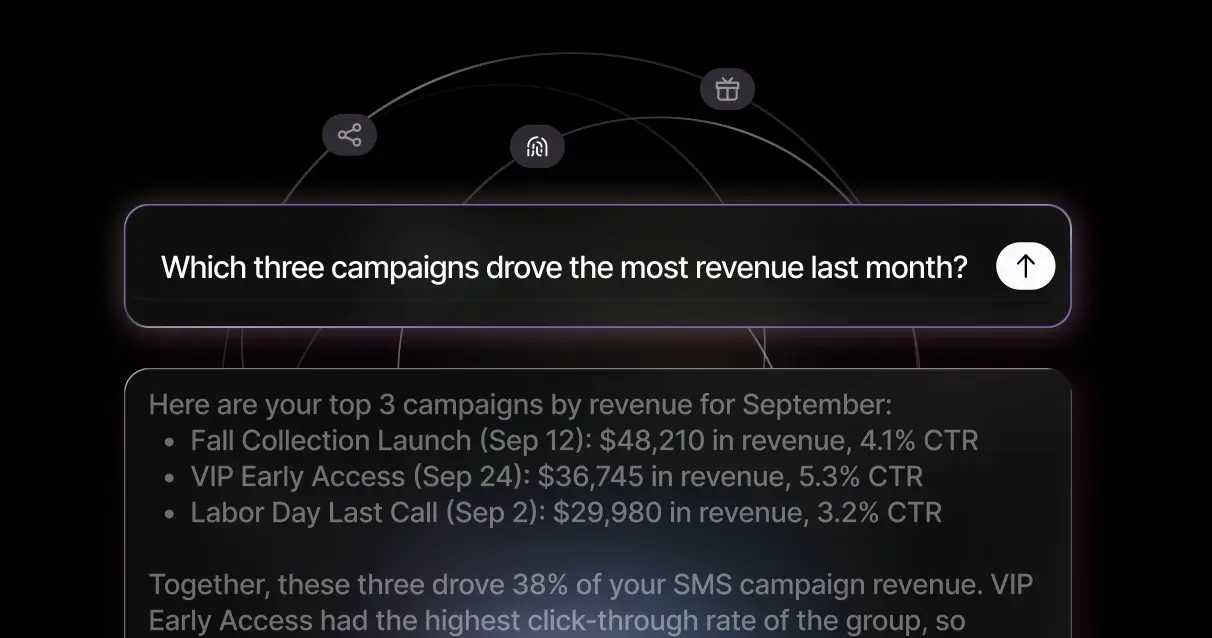
Ask your AI assistant to analyze SMS performance
The Postscript MCP puts your SMS performance in the AI tool of your choice. Ask a question, get an answer pulled straight from your Postscript account, and keep your whole cross-channel picture in one place.
MCP stands for Model Context Protocol, an open standard that lets AI assistants securely connect to outside data sources. The Postscript MCP is our connector built on that standard, and it works with the AI tools marketers already use every day.
How does it work?

Step 1
Add the connector to Claude, ChatGPT, or Codex using our server URL.

Step 2
Sign in to Postscript to securely link your shop.

Step 3
Start asking questions about your SMS performance.
Applications and use cases
Weekly and monthly reporting
Pull recurring recaps and executive digests in seconds — sends, clicks, CTR, conversion rate, orders, revenue, and unsubscribes for every campaign, automation, and popup.

Cross-platform analysis
Connect multiple MCPs across your techstack (Postscript, Shopify, Meta, etc) and ask the AI assistant to query data from several platforms.

Deep dives on demand
Rank top or bottom performers by any measure, spot shop-wide trends, and run year-over-year comparisons without waiting on a data pull.

Exports and agency reporting
Pull full result tables you can drop into a spreadsheet, or build AI-assisted reporting across your book of business.

Frequently Asked Questions
Claude (web and desktop) on all plans, Claude Code, ChatGPT on the web (workspace plans, or personal Plus/Pro with developer mode), and Codex CLI. Mobile apps are not supported.
The Postscript 1.0 MCP is read-only. It can’t create, edit, send, or delete anything in your account.
The Postscript 2.0 MCP is read-and-write. We recently announced Postscript 2.0, a rebuild of our entire platform to be AI-native. Every line of code on this new foundation is built so both humans and AI agents can work with it, which means the Postscript 2.0 MCP isn’t limited by 10-year-old tech. For example, one customer connected the 2.0 MCP to Codex, then had Codex build a form, create a segment around it, and write an email automation it triggers. We’ve already started migrating customers to Postscript 2.0, and those customers have access to the 2.0 MCP.
Yes. The connection uses OAuth: you sign in to Postscript and approve access, which links the connector to your shop. The assistant only sees the shop tied to your sign-in.
The Postscript 1.0 MCP is available to all Postscript customers. Anyone on your team with a Postscript login can connect. It's also available to use by agencies.
The MCP uses SQL to query the database directly, so results come from the source data and not from estimates. We’ve also tested it to make sure the numbers it returns are consistently accurate.
If your MCP results ever differ slightly from your in-app analytics, it’s usually for one of two reasons. Very recent data may take a little longer to appear in one place than the other. A metric may also be defined differently: “last month,” for example, could mean the last calendar month or the last 30 days.
If you think something is off, contact the Postscript team or submit feedback directly in your MCP session.
Ready to make SMS your #1 revenue channel?
We’re all-in on SMS—and we’ve built the solutions designed to make SMS your #1 revenue channel.